


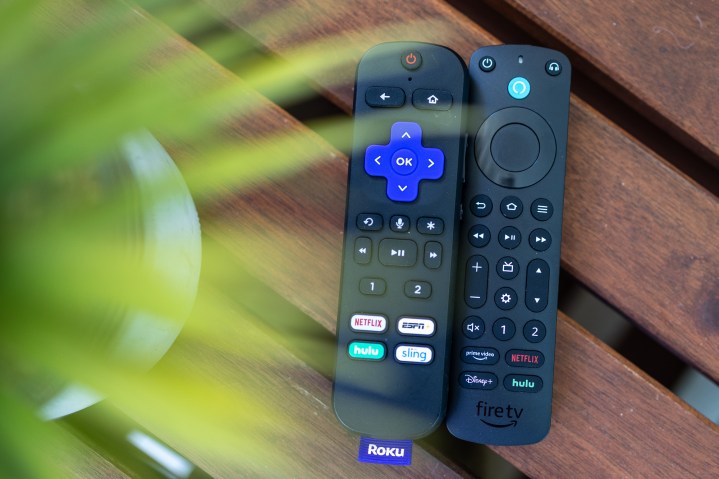
The idea that remote controls should include a dedicated button for captions is not, in and of itself, a bad one. In fact, it makes a whole lot of sense, whether the remote belongs to a television or a peripheral like Roku or Amazon Fire TV. We acknowledge the fact that it would add complexity and, possibly, cost to a device. (And that it’s relatively easy to just flip ’em on and off inside apps as it is.) But we believe it would be worth it.
We didn’t pick Roku and Amazon Fire TV out of thin air in that previous paragraph. They are the two biggest streaming platforms in the world. And as it turns out, they both have remote controls with user-programmable buttons. While that’s not quite the same thing as what we’re imploring the likes of Roku, Amazon, Google, Apple, and others to employ, it’s something that’s available now. (Though the remotes in question aren’t shipped by default with every device — you’ll have to spend more to get them.)
The Alexa Voice Remote Pro and the Roku Voice Remote Pro include two buttons that you can program yourself to perform a number of actions. There are limits to the options and what you can do with them, but it’s still better than nothing.
Here’s the state of play when it comes to the programmable buttons and captions:
Amazon Alexa Voice Remote Pro
In our Alexa Voice Remote Pro review — yes, we reviewed a little remote control — we were unequivocal in saying that it should just be included in the box of all Amazon Fire TV devices. It’s really good, from the form to the feel to the options.

There’s good and bad news when it comes to captions, however. The bad news is that there isn’t an obvious “Toggle captions” option for the buttons. That’s a shame and something Amazon should be able to fix relatively easily if it wants.
The good news? There’s a pretty easy workaround, though it does require you to use both buttons. The programmable Alexa Voice Remote can be tasked to repeat a voice command, too. That means you’re not limited to the options presented on the screen when you first attempt to program one of the buttons.
So I hit the Alexa button, said “Turn captions on,” and then held down Button 1 and set it to repeat that action. I then did the same thing for Button 2, programming it to “Turn captions off.” It’s a little clunky, but it works great.
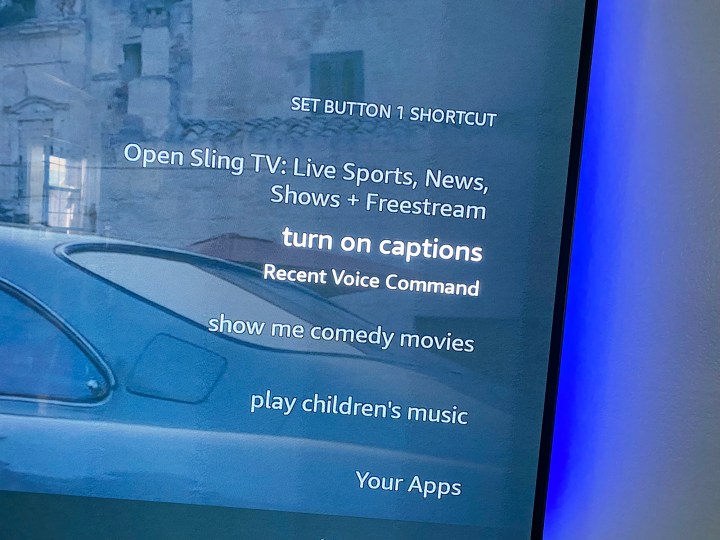
Only one problem here: That scheme works great in the Amazon Prime Video app, but it doesn’t work in every other streaming app I tried. (And that includes the Amazon-owned Freevee.)
In other words, a custom function that really only works in a single app isn’t much of a custom button at all.
Roku Voice Remote Pro
Things are slightly better when it comes to the Roku Voice Remote Pro. Again, this remote doesn’t come with the least-expensive Roku streaming devices, which is a shame. But if you have it, you have two programmable buttons at your disposal.
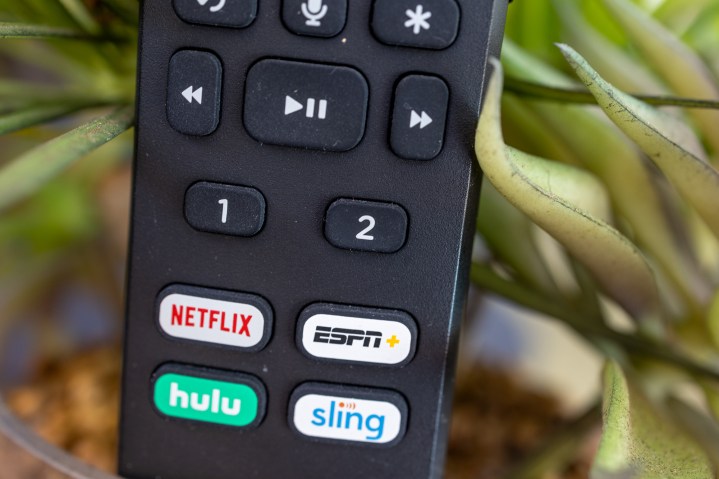
Like the Alexa Voice Remote, Roku gives you a few options from which to program one of the buttons. But unlike Amazon, one of those options happens to be “Closed captions.” You also can program a voice command, the same as with the Alexa remote, which gives you another avenue to turn on captions or subtitles. (Though I couldn’t get that part to work for some reason.)
Setting one of the programmable buttons gives you the option to turn captions off, have them always on, have them on if you hit the replay button on the remote (which takes you back a few seconds), or when the TV is muted.
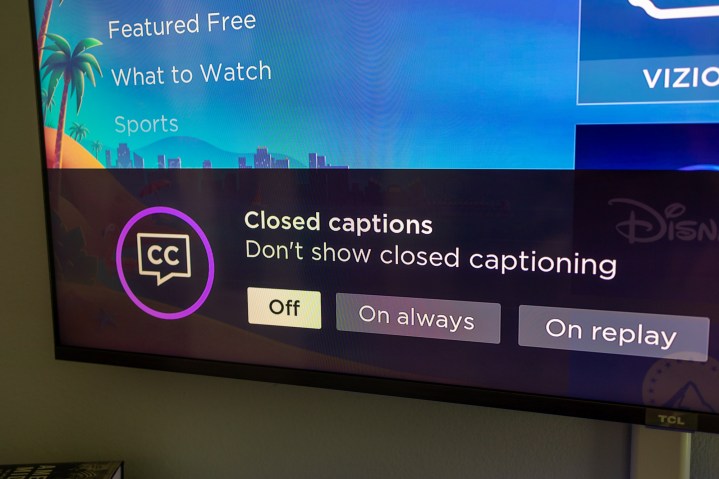
That’s pretty handy. But it’s also not universal. It works as intended with Roku’s own video offerings, such as anything you watch on The Roku Channel. It also works on Disney+, Hulu, and ESPN+ — three apps all owned by Disney and which should be using the same tech stack. It also works on Max, the streaming service formerly known as HBO Max, as well as with Paramount+. There may well be other apps on which it works, too — these are just some of the bigger ones I tried.
But it also fails to work on some pretty major apps. YouTube and YouTube TV are out. So, too, are Netflix, Amazon Prime Video, and Apple TV.
So what went wrong?
It’s pretty clear that while captions and subtitles are included in all the apps where you’d expect them, there’s not one standard implementation of them within the apps themselves.
That’s something the platforms actually could take care of. There’s a reason developer standards exist, and this is precisely why. Amazon and Roku — and all the other platforms, for that matter — could tell the various video services “You need to code your apps so that if a button press tells an app to turn captions off or on, your app will do so.” It’s a little more complicated than that, of course, especially when you get into the differences between subtitles and captions.
But it’s doable. And even though we’re talking real first-world problems here — it’s not like clicking a remote a few times inside an app to toggle captions is all that difficult — it could go a long way toward, well, something.
At least getting a couple of cranky old writers to settle down.
Editors’ Recommendations
-
TV dialogue is getting harder to understand. This change could help. -
More than 100 Amazon Originals head to Amazon Freevee -
Amazon Fire TVs can stream directly to hearing implants -
Amazon Echo Show 15 is getting the full Fire TV update today -
New Amazon Fire TV Omni QLED displays art, senses your presence

Phil spent the 2000s making newspapers with the Pensacola (Fla.) News Journal, the 2010s with Android Central and then the…
Amazon’s third-gen Fire TV Cube has great features the Apple TV is missing

As part of its September 2022 devices event, Amazon has announced a new version of its Fire TV Cube streaming device, priced at $140. It’s the first streamer we’ve seen that includes an HDMI input in addition to its HDMI output, letting it display content from devices like cable or satellite set-top boxes or Blu-ray players, while it controls those devices via Alexa or the included remote control. And speaking of remotes, Amazon has upgraded that device as well. The $35 Alexa Voice Remote Pro now includes backlighting and a remote control finder feature — both of which are absent from the remote that Apple includes with its Apple TV 4K.
Oddly, Amazon decided the new Fire TV Cube will come with the standard Alexa Voice Remote — not the Pro model — for its $140 price, but you can add the $35 Voice Remote Pro when you order it.
Is new Fire TV hardware on the way at Amazon’s fall event?

We’ve already taken a look at what we hope to see from Amazon at its fall event — scheduled virtually for September 28. It’s Amazon, so undoubtedly there will be a ton of smart home-type stuff at the ready.
But what about Amazon Fire TV? Are there new sticks on the horizon? Maybe a new Fire TV Cube?
Why Apple (still) shouldn’t make a streaming device for cheapskates

The Internet — that is folks who likely spend too much time on it — loves nothing more than to speculate about what Apple may do. Or even better, what Apple should do. The more foolish among us are sold bold as to say what Apple will do.
Today, let us be so bold. (And possibly foolish.) There has been a decent amount of scuttlebutt regarding the possibility of a low-cost Apple TV dongle. And on one hand, that makes a whole lot of sense. Apple’s current TV-centric hardware, the aptly named Apple TV 4K (not to be confused with the Apple TV app, which we’ll come to in a second, or the Apple TV+ streaming service, which we’ll also touch on) is a fine piece of kit, as they say in the biz. It’s overpowered for what it does, meaning that it streams shows and movies and the like really well, without any sort of lag or hesitation. It has just about every spec you could want. It serves as a HomeKit hub. It plays music and shows photos and allows you to seamlessly mirror your iPhone or iPad or Mac to your TV. The only problem is that it is several times more expensive than what most folks are buying these days, edging toward $200.